
2nd Line - Second Phone Number
Dingtone Communications LtdCommunication
4.35.39K Reviews
- Version
- 2.6.1
- Installs
- 10.00M
- Age Rating
- Everyone
Screenshots
Our Review of 2nd Line - Second Phone Number
 Analysis by Appyee
For a household sharing a device, or for anyone trying to keep calls for different parts of life from blending together, a second number can be useful—but it also needs clear boundaries. 2nd Line - Second Phone Number is a communication app from Dingtone Communications Ltd that gives you another number for calling and texting. I see its strongest use as separation: making it easier to decide which number to share, rather than turning one phone into a fully managed family communications system.
When a shared phone needs its own boundary
Imagine a parent using one handset for personal calls and occasional coordination with a teenager, a home project, or a small side business. Giving out a separate number for a narrow purpose can keep those conversations from immediately exposing the primary number. The same idea helps roommates arranging deliveries or neighbors coordinating a shared task: people can contact the number intended for that activity without needing the owner’s usual contact details.
That separation is practical, but it is not the same as a separate device or a separate user profile. Whoever can open the phone may be able to see activity in the app, so a second line should not be treated as a private space for another household member. I would set it up on the device owner’s account and agree in advance who will answer, read messages, and decide when the number is no longer needed.
Make the number’s purpose clear before sharing it
A useful way to avoid confusion is to assign the line one job before handing it out. For example, use it for marketplace inquiries, a temporary project, or calls related to a particular household responsibility. Tell contacts what the number is for, and keep the primary number for people who need your most dependable way to reach you. That small habit matters more than having two numbers: without it, messages can still get lost, only now they arrive in two places.
For a household, I would also agree on a simple handoff routine. If one person is responsible for checking the second line, decide what happens when they are away or no longer managing that task. A second number can make coordination tidier, but it does not assign responsibility by itself. It also does not mean every person sharing the device gets independent access or privacy.
Setting Up Your Second Line
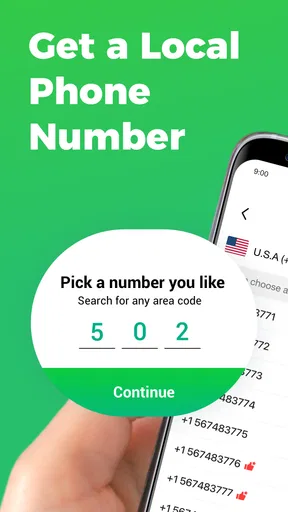
Getting started with 2nd Line - Second Phone Number is as easy as pie. Just download the app from your app store, and you're ready to roll. After a quick sign-up process, you can choose your new number. Yes, you heard that right—you get to pick a number with your desired area code, which is super handy if you're looking to appear local in a specific region.
The app interface is pretty intuitive. Everything is laid out clearly, and you won't find yourself lost in a maze of menus. Just a few taps, and you've got yourself a fully functional second phone number. It's like magic, but better!
Features That Make a Difference
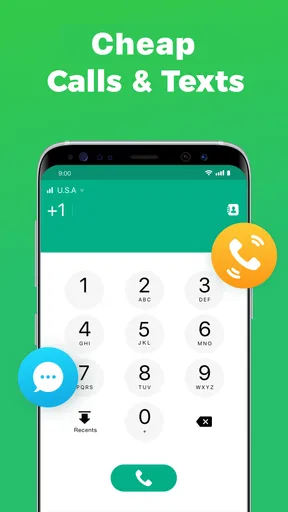
So, what makes 2nd Line really shine? Well, for starters, it offers unlimited calling and texting within the US and Canada, which is a huge perk if you’re like me and have friends and family spread all over. No more worrying about burning through your minutes or texts!
Another fantastic feature is the voicemail transcription service. Ever been in a meeting and couldn't pick up the phone? No worries—2nd Line will transcribe your voicemails into text, so you can quickly glance at them and decide if it's urgent or not. It's like having a personal assistant, minus the hefty paycheck.
Oh, and did I mention the customizable voicemail greeting? Yep, you can record a personalized message to really make that second number feel like your own.
Performance and Usability
Now, let's talk performance. I was pleasantly surprised at how well the app handled calls and texts. The call quality was crisp and clear, almost indistinguishable from my primary line. Texting was seamless, with messages going through instantly without any hiccups.
The app doesn’t hog your phone's resources either, so you can run it in the background without worrying about draining your battery or slowing down your device. It's efficient, which is a big plus in my book.
Choosing it over the usual alternatives
Compared with carrying a second handset or adding another line through a mobile carrier, an app-based number is appealing because it keeps the arrangement on the phone you already use. That is convenient for a short-term project or a personal-versus-work split, but it also means the extra number depends on the app and the shared device. If you need a line that remains independent of your phone, or needs to be used by someone else without access to your device, a separate carrier line or handset is the more suitable choice.
It is also worth separating a second number from a disposable contact form. A number you intend to keep using can become the point of contact for replies and follow-ups, while a one-off online form may be enough when you do not expect an ongoing conversation. I would not give this line to every service just because it is available; decide which contacts deserve a lasting route to you, and keep the number’s purpose narrow enough that it stays manageable.
Useful habits for calls, texts, and voicemail
For a real-world routine, consider someone selling a piece of furniture online. They can give interested buyers the second number, check messages at a convenient time, and keep those conversations apart from calls from friends or work. Once the sale is finished, they can stop using that number for new listings. The practical gain is not only privacy; it is being able to recognize why a caller may be contacting you before you answer.
Voicemail transcription can help when you cannot take a call, but I would treat the text as a preview rather than a perfect substitute for listening. Names, addresses, and other details are exactly the sort of information I would verify in the recording before acting on them. A personalized greeting is useful for setting expectations too: make it clear that this is a secondary contact line and say when you are likely to respond, rather than leaving callers to assume it is monitored constantly.
Before relying on the number for an important conversation, test the basic routine with someone you know: place a call, send a message, and check where incoming activity appears. That is a sensible way to learn which line you are using and whether notifications fit your habits. For anything time-sensitive, keep a backup way to contact the other person until you know the app suits your day-to-day use.
Costs, compatibility, and account expectations
The app is free to install, but it also offers in-app purchases ranging from $0.99 to $89.99 per item. I would look at the purchase details before committing money, especially if you only need a second number for a limited task. The free starting point makes it easy to explore, but it should not be read as a promise that every use will remain cost-free.
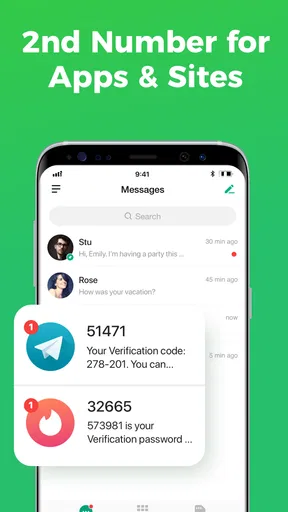
It has a 4.3 average from around 48 thousand ratings, with over 10 million installs, so it is a well-established option in the second-number space. Those figures can help show that many people have tried it, but they do not tell you whether it will fit your exact carrier, device, or verification need. If a service must accept this number for account verification, check that service’s rules first; a second number is not a guarantee that every platform will accept it.
The app is rated for Everyone and runs on Android 7.0 or later; its current version is 2.6.1. That age rating is about the app’s content, not a substitute for household supervision or a promise that it is appropriate for every child’s communication needs. I would keep ownership and account access with the adult who manages the device, and explain to younger users that the number is still connected to a real person and real conversations.
Privacy has limits on a shared device
A second number can help avoid handing out your main one, but it does not make communication anonymous. Callers can still reach the line, and anyone with access to the unlocked phone may be able to see activity. I would avoid using it to make promises of secrecy to a child or another household member. If private, individual access is the goal, a separate device or properly separated account is a better fit than sharing one app on one phone.
There is also a practical trade-off in managing two inboxes. You have to remember which number you gave to which people, and you may need to check the second line deliberately rather than assuming every message will appear in the same place as your regular calls. Saving a brief note about the number’s purpose can prevent awkward callbacks later, especially if you use it for a temporary listing or project.
Who will get the most from it
I would recommend this kind of setup to an adult who wants a distinct contact number for side work, online listings, or a temporary coordination task and is comfortable checking an app on the same phone. It is less compelling for someone who needs guaranteed acceptance for every verification code, a number independent of an internet-based app, or a truly separate line for a child or another person in the home. In those cases, a carrier-provided number or a separate handset gives clearer separation, even if it involves more effort.
Dingtone Communications Ltd’s app sits in the communication category, and its appeal is straightforward: it can make a single phone serve two contact purposes. The key is to use the extra line deliberately. Decide who owns it, what it is for, and when you will check it; those small choices are what make the arrangement useful rather than confusing.
Privacy and Security
Privacy is a big concern for many of us these days, and 2nd Line doesn't disappoint. Your second number is separate from your main number, so you can keep your personal life private. It's perfect for those online transactions or when you're signing up for something and don't want to give out your primary number.
The app also has built-in encryption to protect your calls and messages. In an age where data breaches are all too common, this gives some much-needed peace of mind.
Final Thoughts
All in all, 2nd Line - Second Phone Number is a solid choice if you're in the market for a second phone number. It's easy to set up, packed with useful features, and performs like a champ. Whether you're looking to keep your business and personal life separate, or just want to maintain a level of privacy, this app has got you covered.
Give it a whirl! With its user-friendly interface and robust functionality, it's a no-brainer for anyone needing that extra line without the extra hassle.
Verdict
Strengths of 2nd Line - Second Phone Number
- Easy to set up and use interface.
- Affordable pricing for premium features.
- Customizable voicemail options.
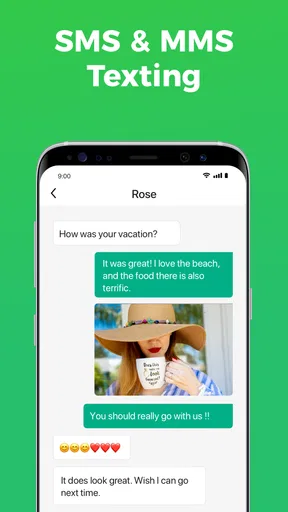
- Supports both calls and texts.
- No need for a second SIM card.
Limitations of 2nd Line - Second Phone Number
- Limited free features available.
- Occasional app crashes reported.
- Requires internet connection to work.
- No support for emergency calls.
- Ads in the free version can be intrusive.
Other Releases by Dingtone Communications Ltd
View All
Spam Call Blocker for Android
Communication4.2
Similar Picks in This Category
View All
Google Messages
Google LLC4.6

Gmail
Google LLC4.1

Google Meet
Google LLC4.4

Google Chrome
Google LLC4.1

WhatsApp Messenger
WhatsApp LLC4.6

Carrier Services
Google LLC4.2
Frequently Asked Questions
What is 2nd Line - Second Phone Number and how does it work?
2nd Line - Second Phone Number is an app designed to provide you with a second phone number on your existing smartphone. It works by using your device's internet connection to make calls and send texts, allowing you to keep your personal number private. This is ideal for business purposes or for managing multiple contacts without needing a second device.
Is 2nd Line - Second Phone Number free to use?
The app offers both free and premium features. While you can download and use the app without charge, premium features such as unlimited calling or texting, ad removal, and additional number options may require a subscription. It's advisable to check the app's terms for detailed pricing information to see what best fits your needs.
What platforms is 2nd Line - Second Phone Number available on?
2nd Line - Second Phone Number is available on both Android and iOS platforms. You can download it from the Google Play Store or the Apple App Store, ensuring broad accessibility regardless of your device type. Always ensure your device meets the app's system requirements for optimal functionality.
How secure is 2nd Line - Second Phone Number for personal use?
The app emphasizes user privacy by keeping your personal number hidden. It uses encryption to protect your calls and messages. However, as with any app that handles personal data, it's important to review their privacy policy and terms of service to understand how your information is managed and protected.
Can I use 2nd Line - Second Phone Number for international calls and texts?
Yes, the app supports international calling and texting, making it a great tool for global communication. However, international rates may vary, and certain features might require a premium subscription. It's recommended to review the app's pricing details for international services to avoid unexpected charges.
